Google Trips, the “all-inclusive” for planning your trip
Planning a trip means searching for flights, hotels, things to do, itineraries and more. The process is often cumbersome because we have to use multiple tools to put together everything we need, especially on a mobile phone. A shift in the digital paradigm: Google Maps revolutionized the way to get from point A to point…
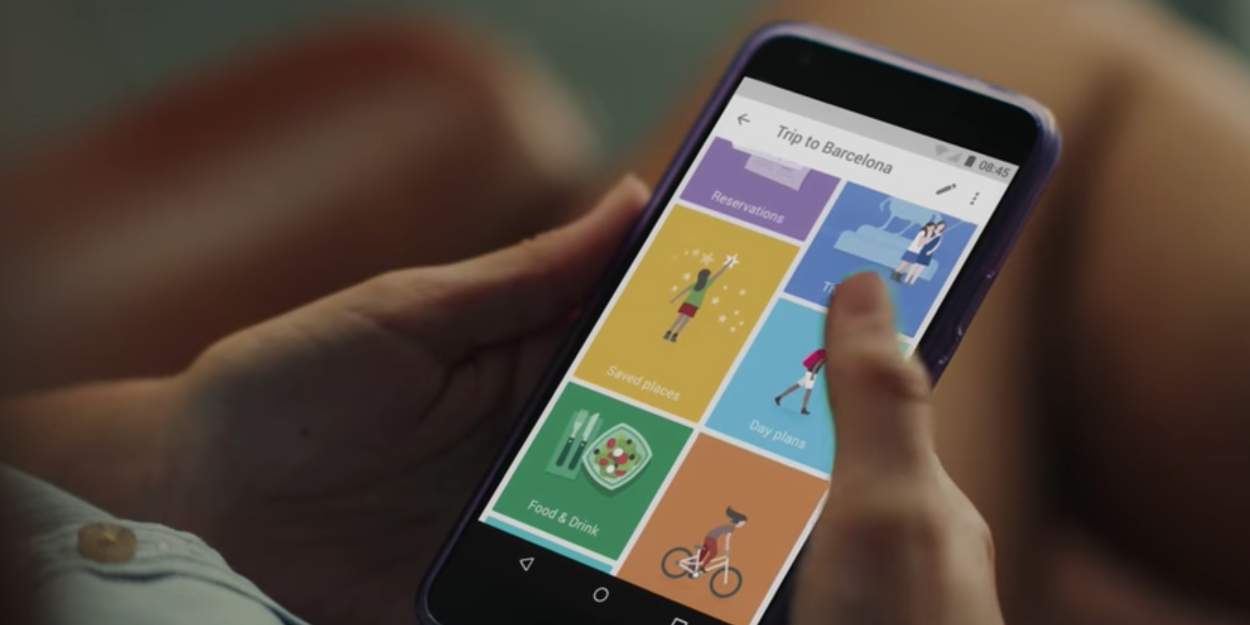
Planning a trip involves searching for flights, hotels, things to do, itineraries and more.
The process is often cumbersome because we have to use multiple tools to gather everything we need, especially on a mobile phone.
A shift in the digital paradigm
Google Maps revolutionized how we get from point A to point B. Now Google Trips aims to do the same for how we vacation: a personalized travel guide in your pocket.
“We wanted to reduce the hassle and help travelers enjoy their hard-earned vacations”, wrote Stefan Frank, the app's Product Manager, on the Google blog.
In the 193 edition of this magazine, we covered how Google Travel applied the “wisdom of the crowd” for a better trip, using crowdsourcing models in 2016.
Google has evolved the way hotel search works on smartphones to help users explore options and make decisions on their smaller screens.
“The new hotel search experience includes better price filtering, amenity information that is easier to find, and the ability to book directly from Google”, says Emily Fifer, Google Trips product manager.
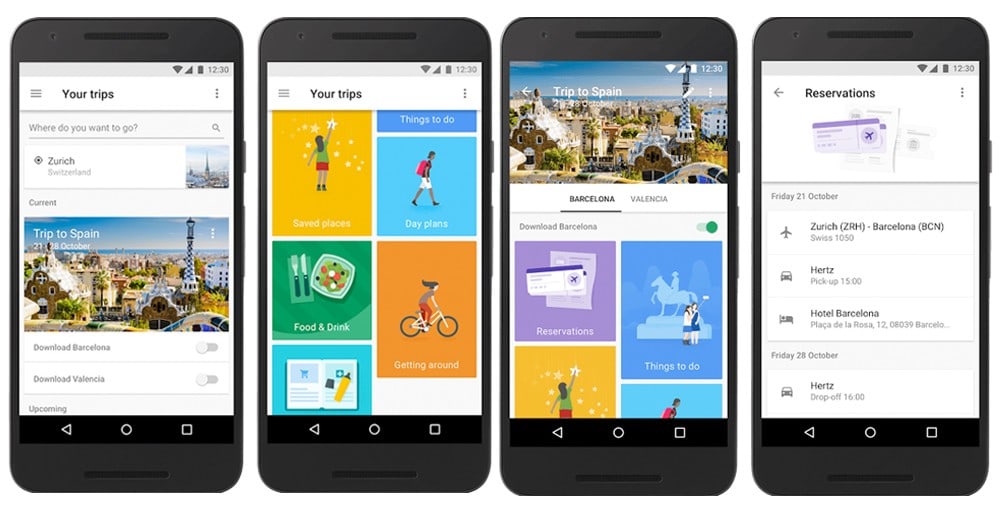
Google Trips features
The new features introduced in 2017 help users make mobile search easier than ever when checking travel options on the go.
- If you search for a flight on Google Flights, you can click “Hotels” at the top of the page.
- This lets you check hotel availability and prices in your destination city with a single click, for the dates you have already selected.
- It works the same way for flight search.
- You can click the “Flights” tab to check prices and fare options, and easily book your flight when you are ready.
- The same options appear if you want to learn about a specific place or look for things to do there. Say you are considering a trip to Sydney.
- Now you can click to search for available hotels or flights while you explore the destination.
- Clicking “More destinations” in the upper left takes you to a new experience that lets you explore other destinations, weekend getaways and trips you might be interested in.
- The feature called “Your trips” shows all your previous travel reservations and messages that arrived through Gmail.
- These results are private, and only you, as the owner, can see this information.
- You can email your travel reservations to friends or family directly from “Your trips”, and also edit them and access them (offline) with the Google Trips app (available for Android and iOS) when you travel.
Everyone wins, from users to operators
These features not only help you plan your trips, but also connect you with travel agencies that can help you organize those plans.
According to Jason Soss, co-founder of Last Minute Travel, the goal is to find ways to help travelers find the best hotel room. “With Google's new navigation, more people can use Last Minute Travel to book their adventures!”.
A Mobile-First experience
Keep in mind that the trend among the tech giants is Mobile-First. This year Google is focusing on making your mobile phone an integral and useful part of your travel planning.
I recommend using “Inbox by Google” together with “Google Trips”, to view cards with your trips from your email inbox.
Keep in mind that you can enjoy this marvel only if you use Gmail services. If so, see you at the airport. Have a good trip!
Published in Revista Bohío #205, September 2018.